1. Before you start
2. Requirements
- Local India phone number: Only users with a verified India phone number on their Airtm account can access this feature.
- Approved KYC: Check your KYC status at:
Settings → Verifications → Special Features
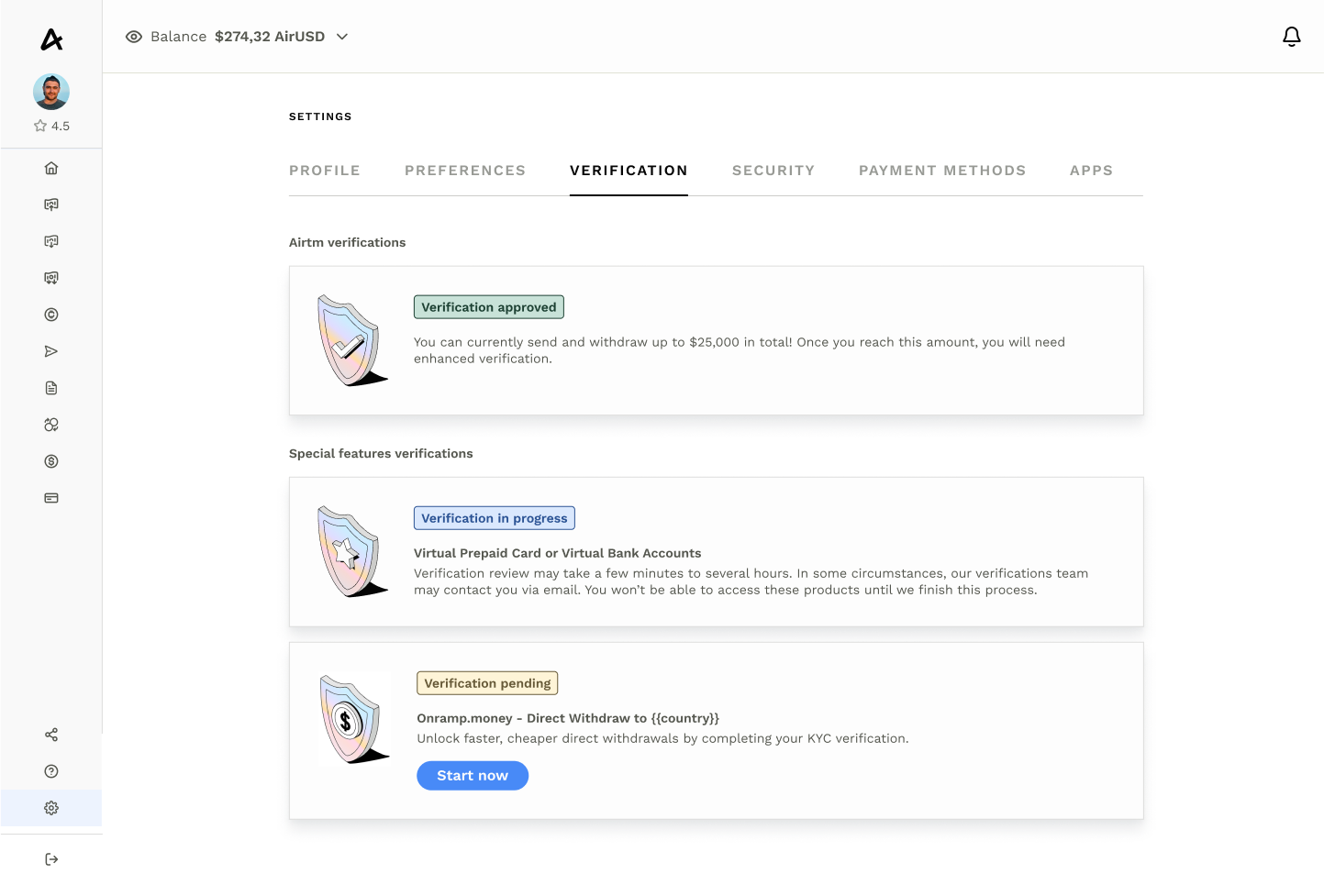
3. How to start a withdrawal
- Log in to your Airtm account (web or app).
- In the main menu, select Withdraw.
- Choose country: India.
- If your KYC is complete, you will see a confirmation that you can use Direct Withdrawals.
- If your KYC is not complete, you will see the option to start or finish your verification with Onramp.money.
- You will see two withdrawal methods:
- Peer-to-peer (P2P)
- Direct (Direct Bank Transfer)
4. Selecting Onramp.money
- Select Direct as your withdrawal method.
- Enter the USDC amount you want to withdraw. Airtm will instantly show the USDC → INR exchange rate so you can see exactly how much you will receive.
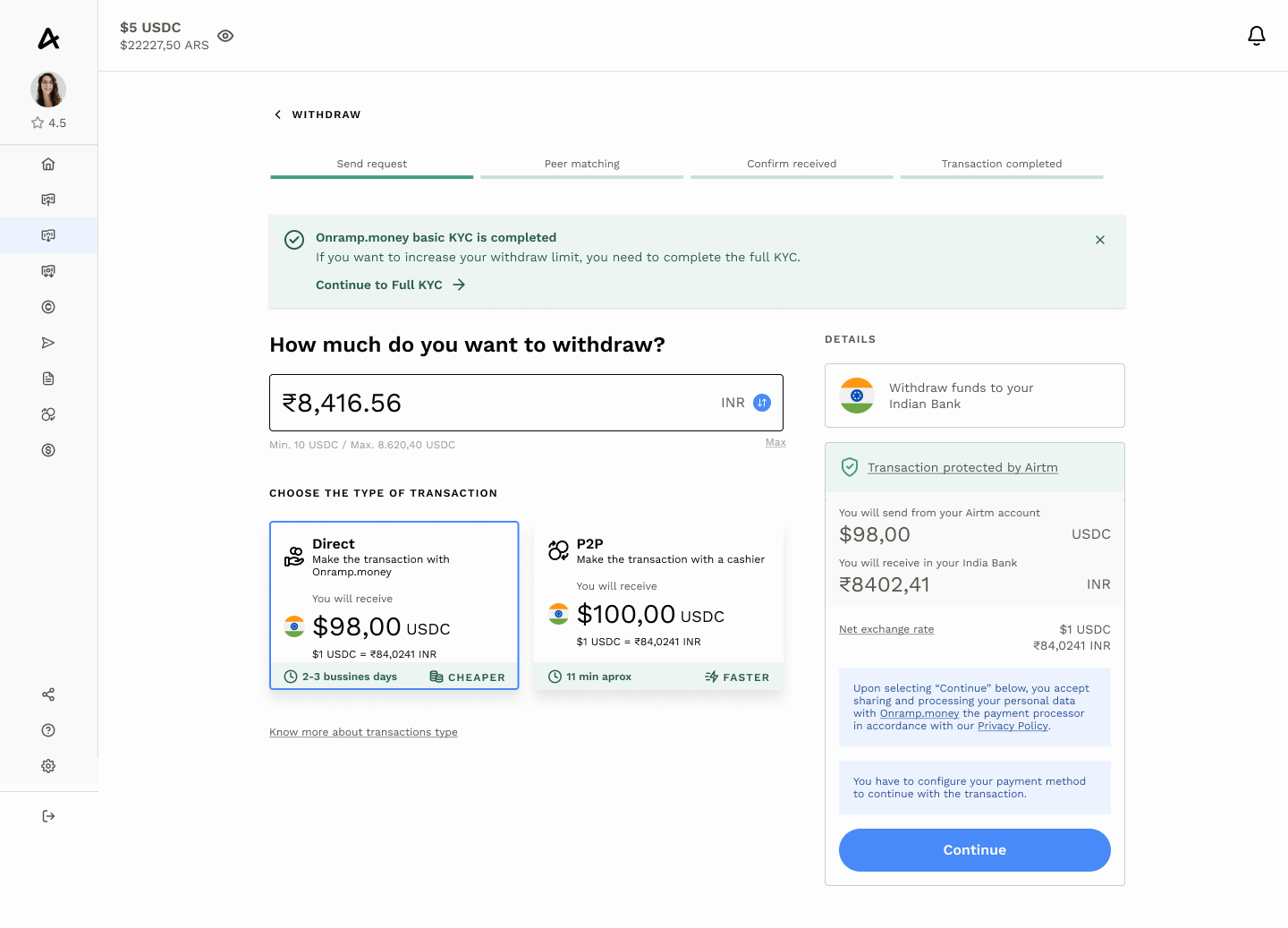
- If this is your first time, add your bank account details:
- Bank name
- Alias: a name to identify your account
- Bank account number
- IFSC code
- If you already have a saved payment method, simply select it.
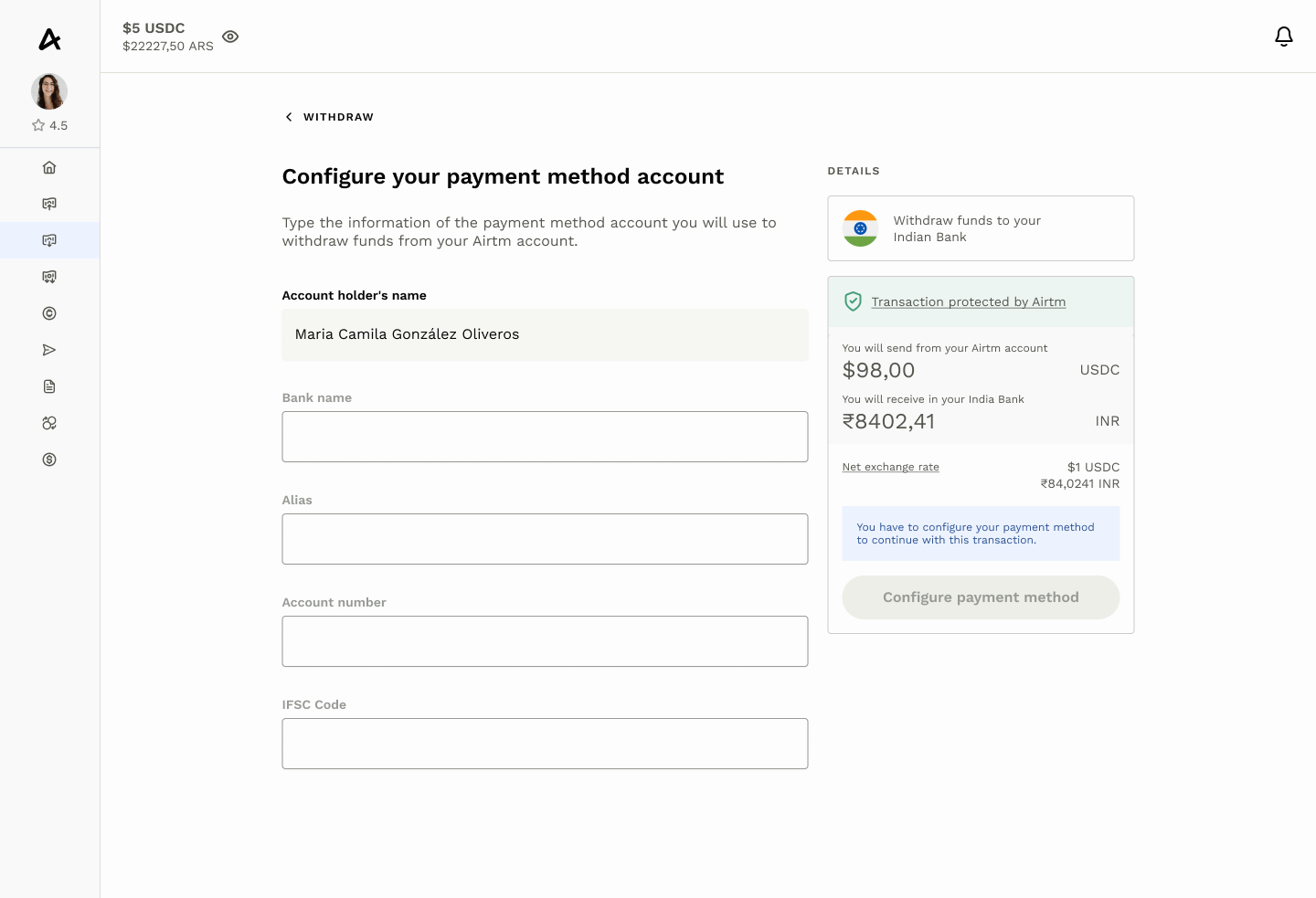
5. Confirm the withdrawal
- Verify all details before confirming.
- Confirm the transaction to submit your withdrawal request.
- Track it in Activity; you will also receive an in-app notification when complete.
6. Processing time
Most transfers complete within minutes, but depending on your bank, funds may take up to 2–3 business days to appear.
7. Limits and support
- Limits: Standard Airtm withdrawal limits apply. Check them at
Settings → Limits. - Conversion: Onramp.money automatically handles the USDC → INR conversion at the rate shown before you confirm.
- Support: If your withdrawal takes more than 3 business days or fails, contact the chat icon in the app.
Was this article helpful?
That’s Great!
Thank you for your feedback
Sorry! We couldn't be helpful
Thank you for your feedback
Feedback sent
We appreciate your effort and will try to fix the article
Thanks for your feedback!